












Melissa Ribaira
Founder & CEO
Executive assistant turned COO, with 18 years on both sides of what Tray solves.
LinkedIn
One screenshot. One tap. Done. Tray reads what you captured and sends it where it belongs: your calendar, your contacts, your CRM or Notion. Privately, on your phone.
Private beta: late 2026.
For the operators we studied, the screenshot is how work gets captured.
Flights. Invoices. Contacts. Instructions. Approvals. Delivery confirmations. All of it sent to a camera roll built for holiday photos.
What operators in our study report.
Confirmed by 74 respondents to our Seed-30 study, closed 15 October 2026. Days and cost are calculated from the hours reported.
You keep capturing what matters. Tray handles what happens next.
You hand a screenshot to Tray. Tray only sees the screenshots you give it.
On-device text recognition and AI read what it is and what you'll need to do. Nothing leaves your phone until you choose where it goes.
You confirm with one tap, and only that detail is sent to the app you choose.
The right information comes back at the right moment. Automatically, quietly.
Two workflows from V1: a boarding pass and a business card. Choose a step to look at it, or let it play.
Routes to
Read on your phone. Nothing leaves it until you choose where it goes.
Executive and virtual assistants take work screenshots all day, and each one belongs to someone else's day: a flight, a signature, a meeting moved at the last minute. That's where Tray starts. Not because they're the only ones with the problem, but because they feel it first.
Every capture lands where it belongs: the flight in the calendar, the new contact in the CRM. Nothing waits to be filed at the end of the day.
Shaped by the operators in our Seed-30 study, and by a founder who did the job.
And then, anyone whose work passes through a camera roll.
A screenshot only helps if something happens next. Most tools cover one step and leave the rest to you.
 From screenshot to done, privately
Screenshots hold some of the most personal information you have. Tray reads them on your phone, and nothing leaves it until you choose where it goes.
The person building the tool is the exact user it was built for.
Melissa spent 18 years as an executive assistant, then COO. Tickets, bookings, confirmations, approvals: captured every day, then processed by hand, one by one. No tool solved it simply, so we're building the one she needed.
Founder & CEO
Executive assistant turned COO, with 18 years on both sides of what Tray solves.
LinkedIn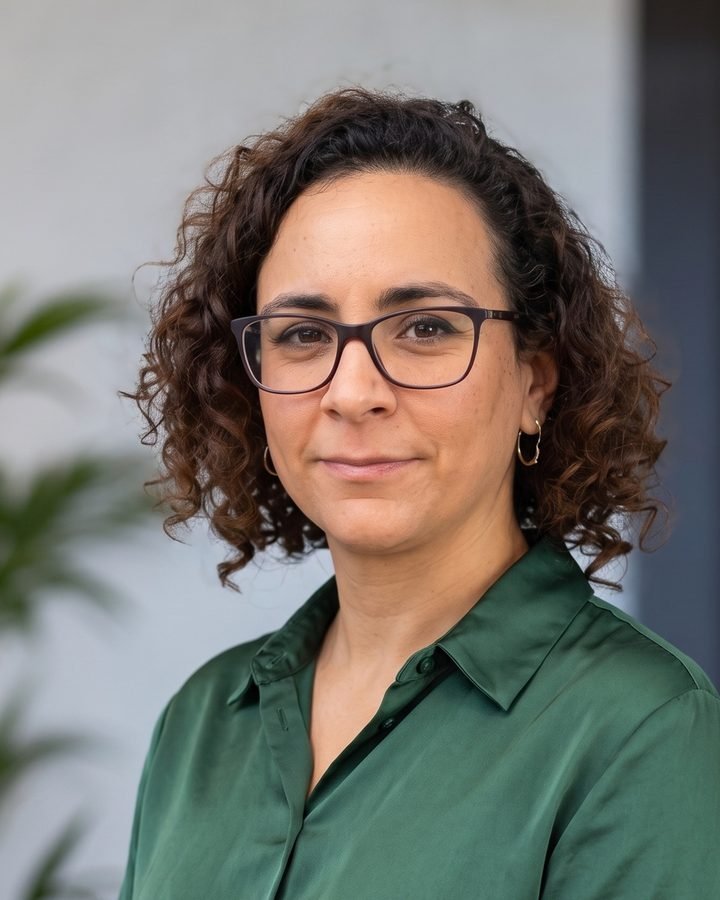
CMO & Co-founder
Brand and community-led growth, with a warm network of 500+ assistants.
LinkedIn
CTO & Co-founder
Full-stack engineer who coded his first app at 14, now building Tray's on-device architecture.
LinkedIn
Advisor
Award-winning entrepreneur and former Sun Microsystems executive, with two exits as chairman.
LinkedInThe private beta opens late 2026. We're starting with executive and virtual assistants.
Thank you.
You're on the list for the Tray private beta. We'll write to when your invitation is ready.
Tray reads your screenshots on your phone. Nothing leaves it until you choose where it goes, and your screenshots are never stored on our servers. Tray only sees the screenshots you give it. Our privacy notice sets out your rights and who holds your data.
Tray starts with Google Calendar, Google Contacts, HubSpot and Notion. More follow.
The private beta opens in late 2026. Email contact@tray-it.com to join, and we'll send your invitation as soon as there's a place for you.
The private beta is open to Android and iPhone users.
Tray is free during the private beta. After that, plans for individuals and teams. Beta testers keep free access for longer.
No. We're starting with executive and virtual assistants because they feel the problem first. Tray is for anyone whose work passes through their camera roll.
Tray only sees the screenshots you hand it. Your other photos stay where they are, untouched.